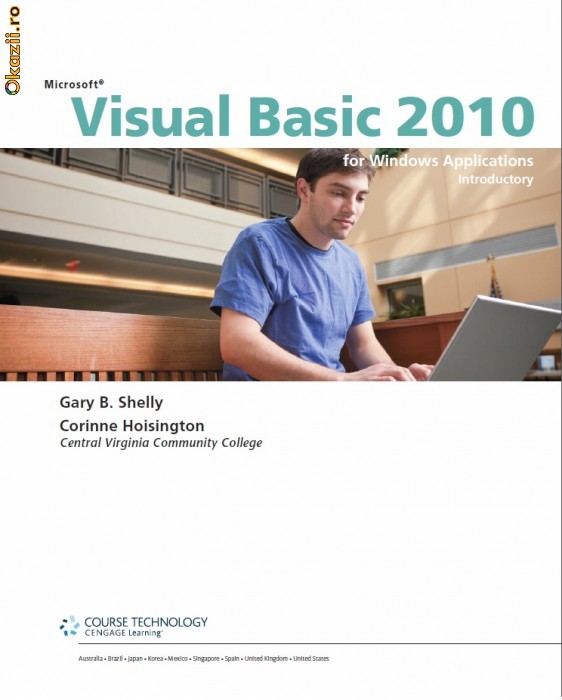

Carte Visual Basic 2010 "Microsoft Visual Basic 2010 for Windows Applications "
-
Produs:Nou, Fără garanție
-
Numar articol:113048319
-
Disponibilitate:Indisponibil
-
Preț:60,00 Lei
-
Anuntul a expirat la:11.07.2012, 08:39
-
Ai o nelamurire?
-
Vandut de:
-
Vinde si tu:Pune in vanzare un produs ca acesta
-
Optiuni:
Descriere
Vânzatorul este direct răspunzator pentru produsul afișat în această pagină.
Disponibilitate: Indisponibil - Vezi produse similare
Specificatii
Cartea este in format PDF si este in limba engleza;
Chapter 1 — Introduction to Visual Basic 2010 Programming Chapter 1 provides
an overview of programming with Visual Basic 2010. The chapter defines a
computer program, describes the role of a developer in creating computer programs,
and discusses event-driven programs that have a graphical user interface (GUI). The
chapter also explains the roles of input, processing, output, and data when running a
program on a computer; examines the basic arithmetic and logical operations a
program can perform; and explores the use of databases and computer programming
languages in general. Finally, the chapter introduces Visual Studio 2010 and the
.NET 3.5 Framework, including the .NET class libraries and related features, and
surveys the types of Visual Basic 2010 applications.
Chapter 2 — Program and Graphical User Interface Design Chapter 2 introduces
students to the major elements of the Visual Studio 2010 integrated development
environment (IDE) while designing a graphical user interface mock-up.Topics include
opening Visual Studio 2010, creating a Windows Forms Application project, adding
objects to a Windows form, assigning properties to objects, aligning objects on the
Windows form, and saving Visual Basic projects. The chapter also discusses how to
apply GUI design principles and examines the first two phases of the program development
life cycle (PDLC).
Chapter 3 — Program Design and Coding Chapter 3 provides students with
the skills and knowledge necessary to complete phases 2, 3, and 4 of the PDLC by
enhancing a GUI mock-up, designing program processing objects, and coding a
program.Topics include using IntelliSense when writing code and enhancing a
Visual Basic 2010 form by changing the BackColor property of an object and
displaying images. This chapter also explains how to enter Visual Basic 2010 code,
correct errors, and run a completed program. Finally, the chapter discusses the value
of creating an event planning document.
Chapter 4 — Variables and Arithmetic Operations Chapter 4 introduces variables
and arithmetic operations used in the coding of a Visual Basic application.
The chapter provides in-depth coverage of declaring variables, gathering input for
an application, differentiating data types, performing mathematical calculations,
and understanding the proper scope of variables. The chapter also shows how to use
various types of TextBox objects.
Chapter 5 — Decision Structures Chapter 5 begins how to create a Visual
Basic 2010 Windows application. This application uses decision structures to take
different actions depending on the user’s input.Topics include using If...Then
statements, If...Then...Else statements, nested If statements, logical operators, and Case
statements. The chapter also explores how to use the Panel object, place RadioButton
objects, display a message box, insert code snippets, and test input to ensure it is valid.
Chapter 6 — Loop Structures Chapter 6 presents another type of fundamental
programming structure — the repetition structure, including Do While, Do Until,
For...Next, For Each...Next, and While...End While loops.Topics include repeating a
process using the For...Next and Do loops; priming a loop; creating a nested loop;
selecting the best type of loop; avoiding infinite loops; validating data; and
understanding compound operators, counters, and accumulators. The chapter also
shows how to insert a MenuStrip object, use the InputBox function, display data
using the ListBox object, debug programs using DataTips at breakpoints, and publish
a finished application using ClickOnce technology.
Appendices This book concludes with three appendices.Appendix A explains the
purpose of Unicode and provides a table listing Unicode characters and their equivalents.
Appendix B examines the My namespace element of Visual Basic 2010 in
detail.Appendix C lists the common data types used in Visual Basic 2010, including
the recommended naming convention for the three-character prefix preceding
variable names.
End-of-Chapter Activities
A notable strength of this Microsoft Visual Basic 2010 book is the extensive student
activities at the end of each chapter.Well-structured student activities can make the
difference between students merely participating in a class and retaining the information
they learn. These end-of-chapter activities include the following:
• Learn It Online The Learn It Online section directs students to Web-based
exercises, which are fun, interactive activities that include chapter reinforcement
(true/false,multiple choice, and short answer questions), practice tests, and a
crossword puzzle challenge to augment concepts, key terms, techniques, and other
material in the chapter.
• Knowledge Check The Knowledge Check section includes short exercises and
review questions that reinforce concepts and provide opportunities to practice skills.
• Debugging Exercises In these exercises, students examine short code samples to
identify errors and solve programming problems.
• Program Analysis The Program Analysis exercises let students apply their knowledge
of Visual Basic 2010 and programming techniques. In some exercises, students
write programming statements that meet a practical goal or solve a problem. In
other exercises, students analyze code samples and identify the output.
• Case Programming Assignments Nine programming assignments for each
chapter challenge students to create applications using the skills learned in the
chapter. Each assignment presents a realistic business scenario and requires
students to create programs of varying difficulty.
• Easiest: The first three assignments provide most of the program design
information, such as a requirements document and use case definition, for
a business application. Students design an application, create an event
planning document, and write the code for the application.
•• Intermediate: The next three assignments provide some of the program
design information, such as a requirements document. Students create
other design documents, such as a use case definition and event planning
document, and then build the user interface and code the application.
••• Challenging: The final three assignments provide only a description of a
business problem, and students create all the design documents, design the
user interface, and code the application.

Modalitati de livrare si plata
LIVRARE
PLATA
- - Detalii: plata si prin transfer bancar
Politica de retur
- - Produsul nu se poate returna.
Spune-ti parerea acordand o nota produsului
Nu ai gasit ce cautai?

Instaleaza aplicatia Okazii.ro